Case study · Humanitarian response

ENIM: Emergency Nutrition Information Management

A tablet app, analytics dashboards and an admin panel that give the Rohingya nutrition response in Cox's Bazar one case-based record for more than 935,000 people across 33 camps, from the facility visit to sector reporting.

Client
UNICEF and the Nutrition Sector, Cox's Bazar
Status
Live
Delivered by
B2B Solver Limited
people with one record
935,000+people with one record
camps covered
33camps covered
paper registers replaced
105paper registers replaced
developed and maintained by B2B Solver
v4.1developed and maintained by B2B Solver

Records come from 41 integrated nutrition facilities and 4 stabilisation centres across the camps.

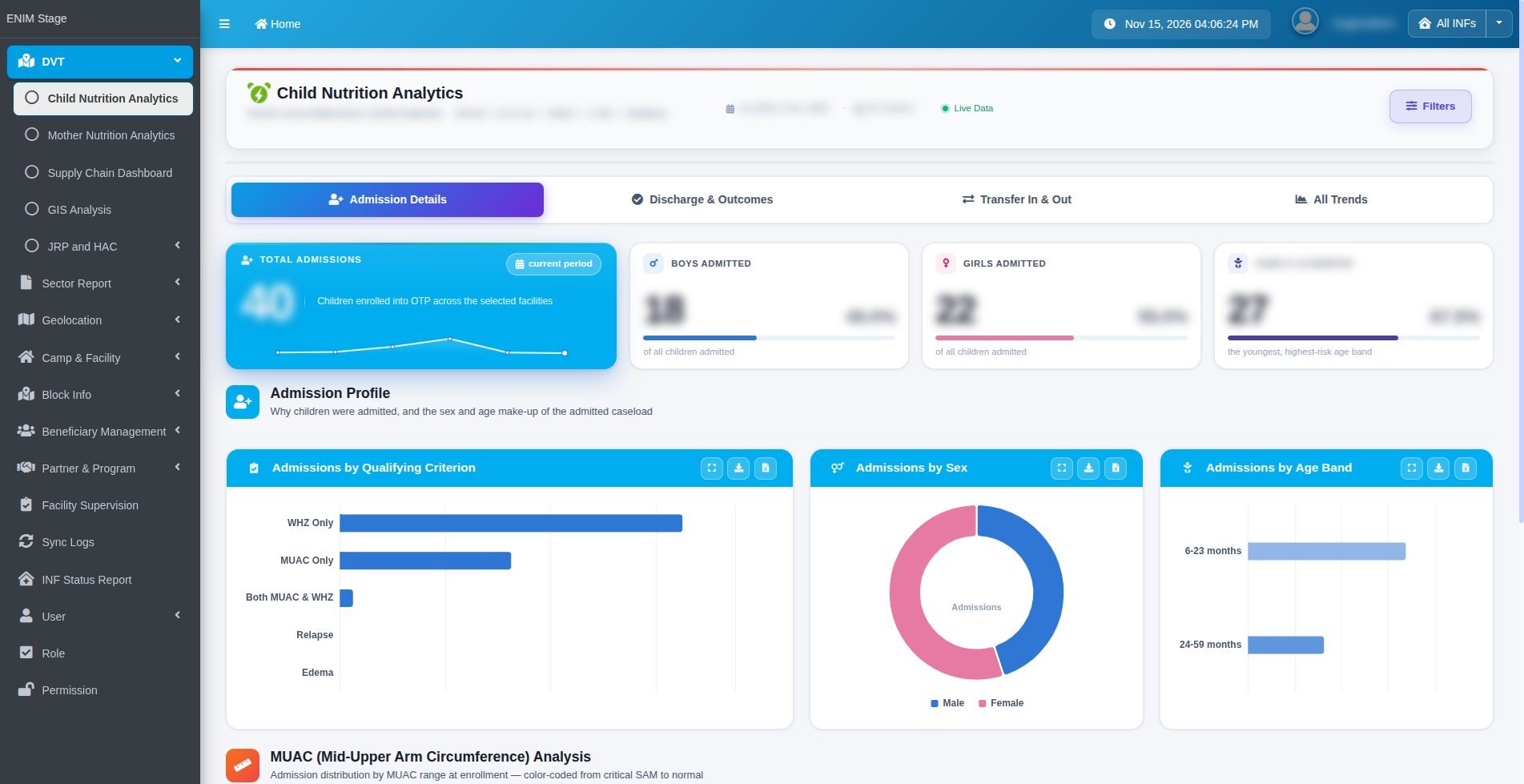
ENIM child nutrition analytics with admissions by criterion, sex and age band
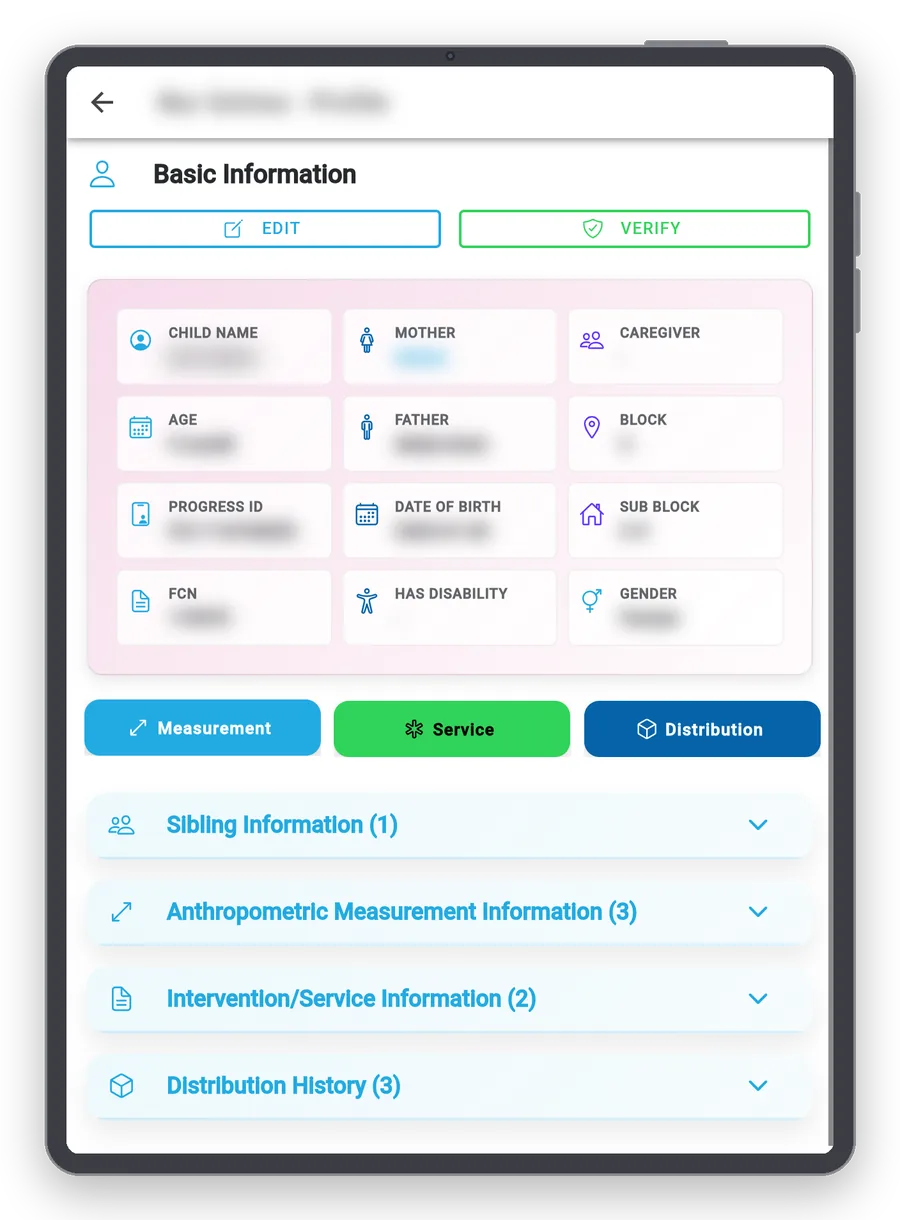
ENIM tablet app with a child's profile and visit history
  1. 01

    The challenge

    The nutrition response across the Cox's Bazar camps ran on paper. Beneficiary data lived in 105 handwritten registers across 41 integrated nutrition facilities and 4 stabilisation centres, for more than 935,000 people in 33 camps. A beneficiary who moved between service points arrived without a history, facility stores tracked supplies by hand, and every agency compiled its own monthly report from the same registers.

  2. 02

    Our solution

    A connected system in three parts on one back end. Facility staff use the DCT tablet app to find a child or mother by name, ID or family counting number, and record each measurement, service and distribution against one case-based record that follows the person between facilities. Store keepers record stock in and out in the same app and see lots, expiry and low stock as they happen. The DVT dashboards roll individual records up into live analytics for children, mothers and supplies, with GIS maps that show which camps need attention, and the admin panel turns them into sector reports, tracks each facility's reporting status, and measures delivery against JRP and HAC targets. The 105 paper registers were digitised, which removed the transcription step where most data errors arose.

  3. 03

    The outcome

    One centralised record for more than 935,000 people, replacing 105 separate paper registers. A beneficiary's history travels with them between facilities, reporting moved from retrospective to real time, and the sector plans on one shared dataset instead of separate monthly compilations. ENIM is now in version 4.1, developed and maintained by B2B Solver.

What it does

  • One case-based record for each child, pregnant and breastfeeding woman and adolescent girl, shared by every facility
  • A tablet app, the data collection tool (DCT), for facility staff to register beneficiaries and record measurements, services and distributions
  • Treatment for severe and moderate acute malnutrition (SAM and MAM), targeted supplementary feeding (TSFP), growth monitoring and infant and young child feeding (IYCF) counselling
  • Transfers between facilities that carry the beneficiary's history with them
  • Facility stores run from the same app: stock in, stock out, lots, expiry and low-stock alerts
  • Live analytics in the Data Visualisation Tool (DVT) for children, mothers and supplies, by camp, facility and period
  • Sector reports for growth monitoring, outpatient therapeutic care, maternal and child nutrition, supplementary feeding and under-6 management, from one data entry
  • A performance dashboard against Joint Response Plan (JRP) and Humanitarian Action for Children (HAC) targets
  • GIS maps that colour every camp and block by severe wasting, coverage, counselling reach or disability

Built with

  • PHP
  • Laravel
  • Livewire
  • Inertia.js
  • Vue.js
  • React
  • Expo
  • j​Query
  • Bootstrap
  • Tailwind CSS
  • My​SQL
  • Maria​DB
  • Redis
  • Apache Superset
  • Leaflet
  • Mapbox
  • Open​Street​Map
  • Docker
  • Ansible
  • NGINX
  • Cloudflare
  • Sentry
  • Mailgun
  • Git​Hub

On the ground

Rolled out with the people who use it.

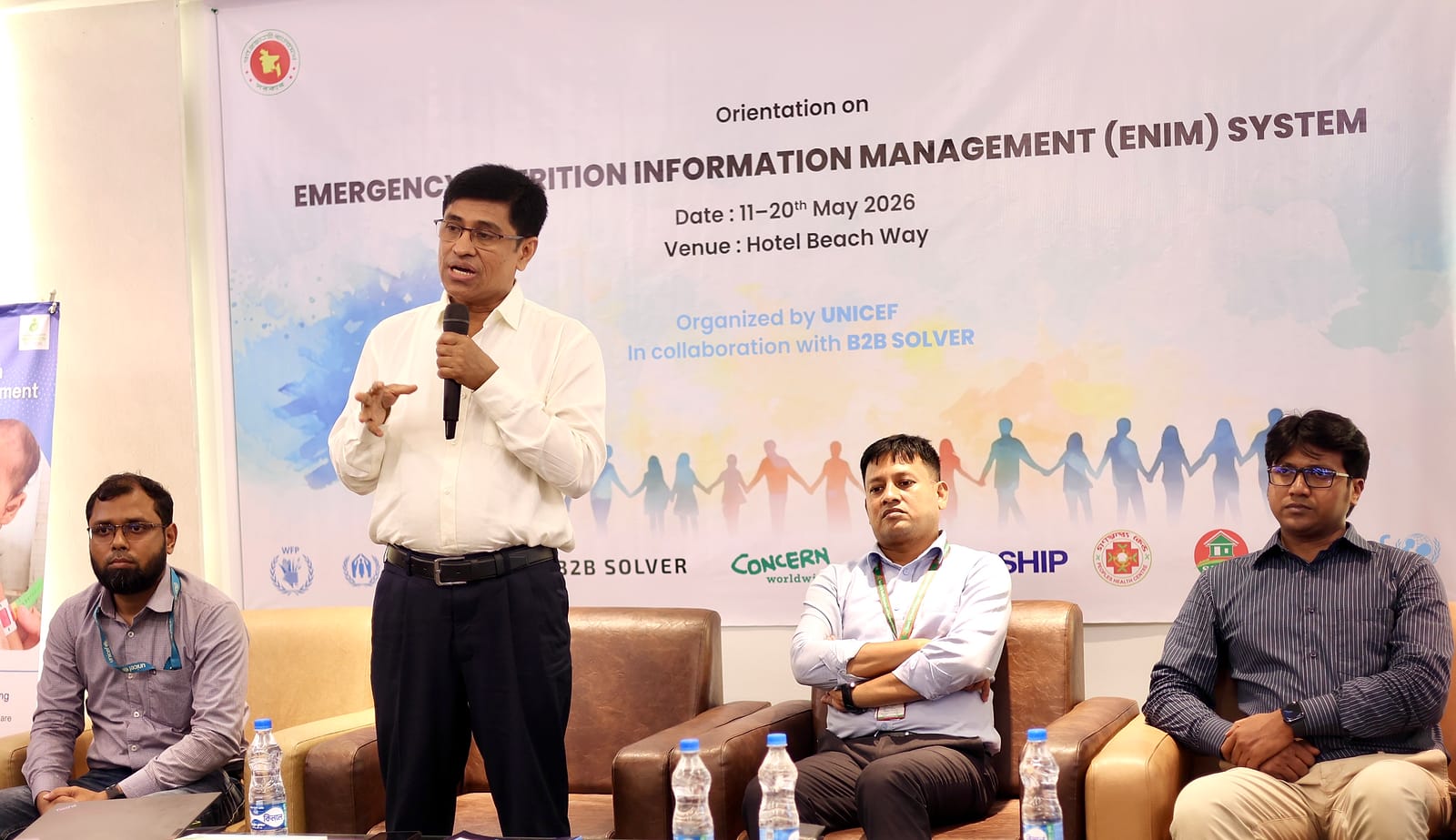
ENIM is introduced in person. Government officials, UNICEF and nutrition sector partners meet in Cox's Bazar, and our team trains supervisors and facility staff on the live system before it reaches every camp.

The Civil Surgeon of Cox's Bazar speaks at the Orientation on the Emergency Nutrition Information Management (ENIM) System, with B2B Solver and partner staff seated in front of the event banner
The Civil Surgeon of Cox's Bazar opens the ENIM orientation, organised by UNICEF in collaboration with B2B Solver. Hotel Beach Way, Cox's Bazar, May 2026.
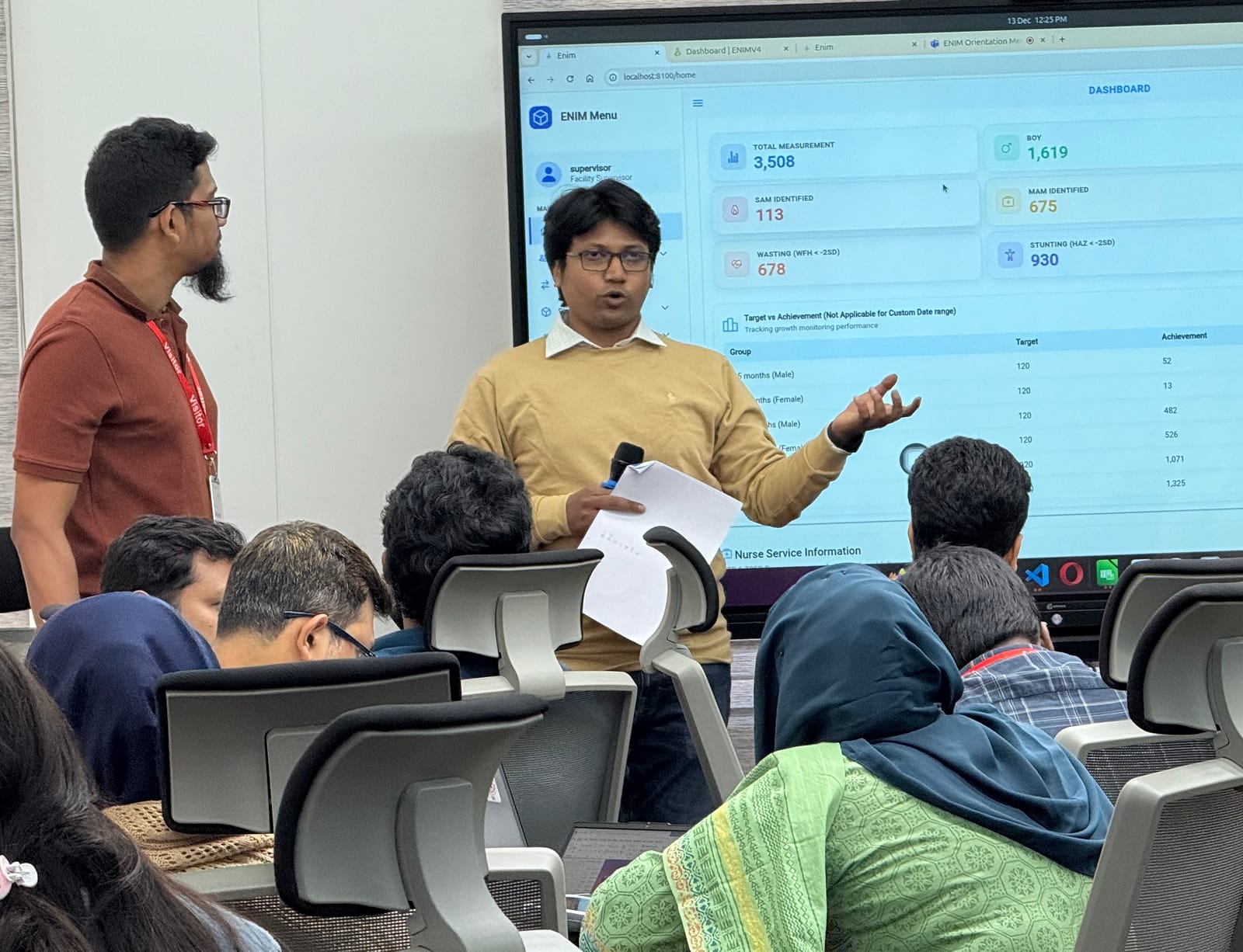
A B2B Solver trainer explains the ENIM supervisor dashboard, showing measurements, SAM and MAM cases and targets, to nutrition staff seated at laptops
Our team walks facility supervisors through the ENIM dashboard. Cox's Bazar.
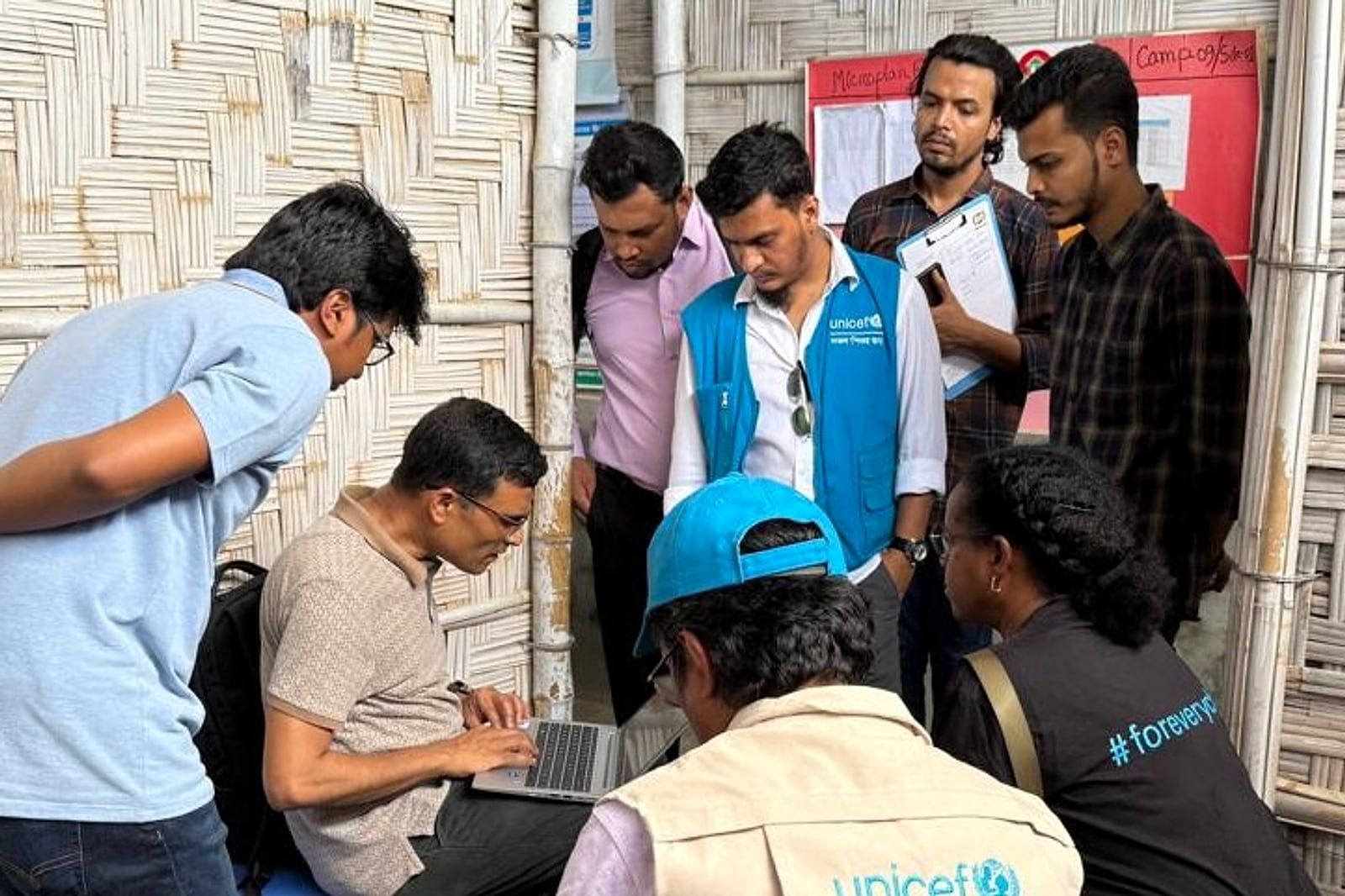
UNICEF Technology for Development staff and B2B Solver engineers gather around a laptop inside a bamboo-walled nutrition facility in the camps
Reviewing ENIM on site with UNICEF's Technology for Development (T4D) team at a nutrition facility. Rohingya camps, Cox's Bazar.

Inside the product

How ENIM works, screen by screen.

Screens from the live maps, the staging system and the tablet app. Names, IDs and every figure are blurred or hidden; the maps show only camp colours, names and legends.

01Analytics (DVT)

Every admission, every camp, one screen.

The Data Visualisation Tool turns individual records into live analytics for the sector. Managers filter by camp, facility and period, and see admissions, discharges, transfers and trends for children, counselling and disability screening for mothers, and stock for every supply item, without waiting for a monthly report.

  • Admissions by qualifying criterion, sex and age band, with discharge outcomes and transfers
  • Infant and young child feeding counselling, group sessions and disability assessment for mothers
  • Current stock, intake and distribution for every supply item
  • Live data, filtered by camp, facility and date range
02Sector performance

Monthly delivery against the year's targets.

The sector's commitments under the Joint Response Plan and Humanitarian Action for Children are set up as indicators with yearly targets. Monthly achievement comes from ENIM records, and each indicator shows how much has been delivered against its target. Sector reports for each programme are generated from the same records.

  • Achievement against target for every output and outcome indicator
  • Grouped by prevention, treatment, information management and capacity building
  • Indicators set up once, with yearly targets and monthly achievement
  • Sector reports for growth monitoring, outpatient therapeutic care, maternal and child nutrition, supplementary feeding and under-6 management

03GIS analysis

Every camp, coloured by need.

The GIS view draws every camp and block on a map and colours it by the indicator a manager picks: severe wasting cases in care, admissions and discharges, infant and young child feeding counselling in emergencies (IYCF-E), beneficiaries reached against target, registration coverage against the UNHCR population, or disability assessment. Camps that need attention stand out at a glance, from the whole district down to a single block.

  • Six analysis layers, each with its own colour scale from expected range to critical
  • Camp or block level, for all camps or for Ukhiya or Teknaf
  • Period filters from this week to the last year, or a custom range
  • Top camps for the chosen layer, alongside an all-camp summary

04Facility app (DCT)

One record that follows every child and mother.

Facility staff use the DCT tablet app at each integrated nutrition facility. They find a child or mother by name, ID or family counting number, open their profile, and record measurements, services and distributions against the same record. When a beneficiary moves to another facility, the transfer carries their history with them.

  • Find a beneficiary by name, Progress ID or family counting number
  • Profiles with sibling, measurement, service and distribution history
  • Measurements checked against the last visit, and follow-ups with next visit dates
  • Transfers between facilities, with sync status on every record
  • 01Service dashboard for the facility

  • 02Find any child by name or ID

  • 03One profile, every visit

  • 04Measurements checked against the last visit

  • 05Follow-ups with next visit dates

  • 06Register a child under their caregiver

  • 07Mothers at the facility

  • 08Pregnancy history, measurements and services

  • 09Registers by programme

  • 10Transfers that carry the history

05Facility store

Every sachet accounted for.

Store keepers run the facility store from the same app. They record supplies coming in from the warehouse and going out to distribution points, see current stock for every item and lot, and get alerts before stock runs low or expires.

  • Total items, items in stock, low stock and expiring soon at a glance
  • Low-stock and expiry alerts for each item and lot
  • Stock in and stock out with source, destination and approval status
  • Lot, batch and expiry recorded for every item
  • 01Stock summary for the store

  • 02Low-stock and expiry alerts

  • 03Stock in from the warehouse

  • 04Stock out to distribution points

  • 05Every transaction, item by item

  • 06Add stock in a few fields

More case studies

Other systems we have delivered.

All case studies →
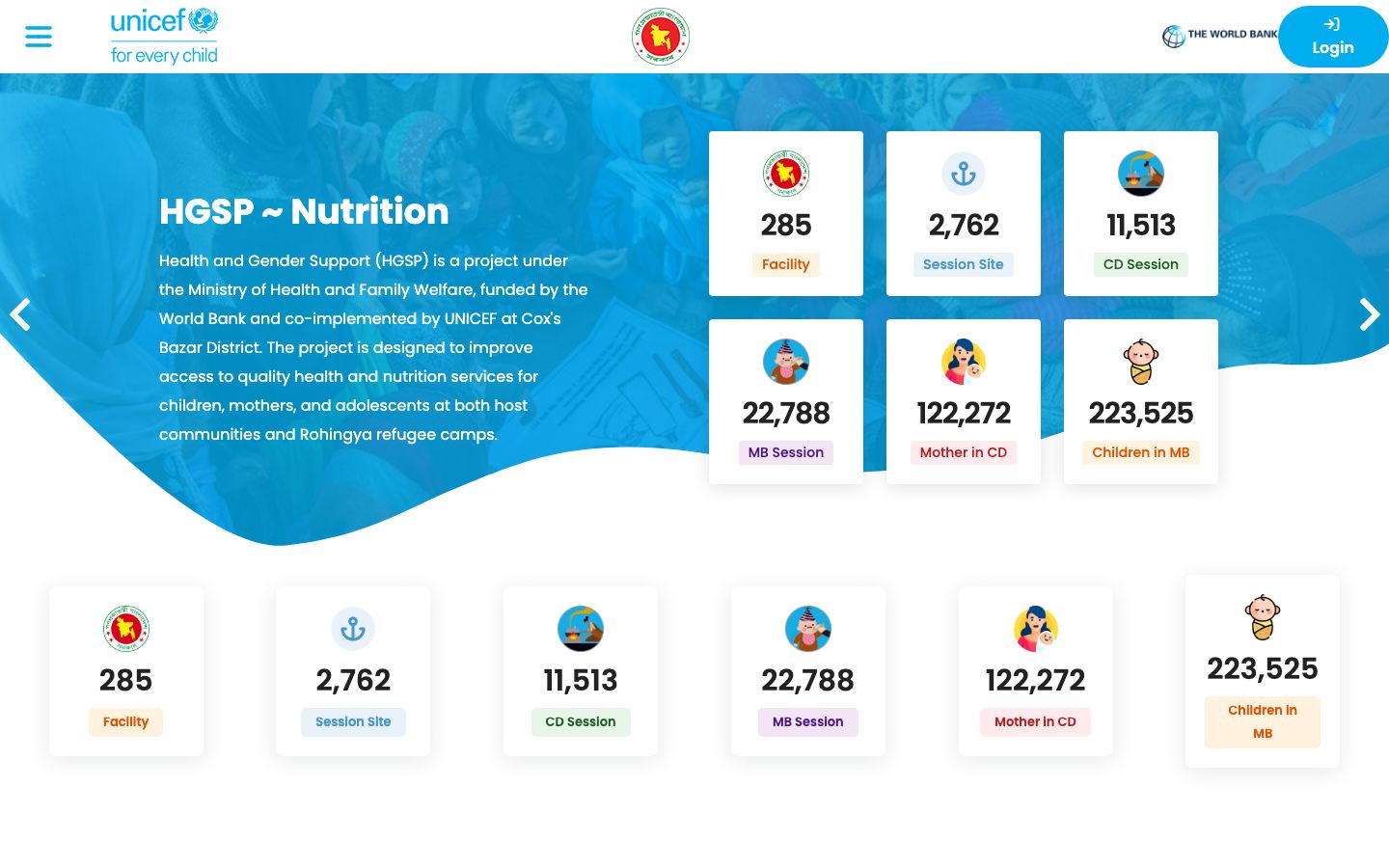
  • Screenshot of HGSP Monitoring
    Primary healthDelivered

    HGSP Monitoring

    UNICEF Bangladesh, for the World Bank-funded HGSP in Cox's Bazar

    A web dashboard, session planner, live tracking map and bilingual Android app that let UNICEF and the Ministry of Health and Family Welfare plan, run and verify community nutrition sessions across Cox's Bazar district, online and offline.

    Read the case study: HGSP Monitoring →
  • Screenshot of ILC
    EdTechLive

    ILC

    Leadership Development Academy (LDA)

    The website, Android app and admin panel for the International Leadership Competition: registration and payment, video lessons, timed model tests, three competition rounds, and referral tools for volunteers and campus associates.

    Read the case study: ILC →
  • Screenshot of Offer Finder
    MarTechLive

    Offer Finder

    bKash

    A bilingual campaign platform where bKash customers find offers by category and location, from food and travel to health care and education, and see the nearest outlets.

    Read the case study: Offer Finder →

Next step

Let’s solve it together.

Describe the problem in a few lines. We agree a short call before we propose anything.

  1. 01You describe the problem in a few lines.
  2. 02We reply with questions within one business day.
  3. 03We agree a short call before any proposal.
Head office
Suite B1, 60, Road 9/A, Dhanmondi, Dhaka 1209